Kuinka ratkaista yhteys ongelmia
Tämä sivu tarjoaa ratkaisuja yleisimpiin yhteys ongelmiin joihin käyttäjämme ovat törmänneet.
UMS detects renderer, but renderer does not detect UMS
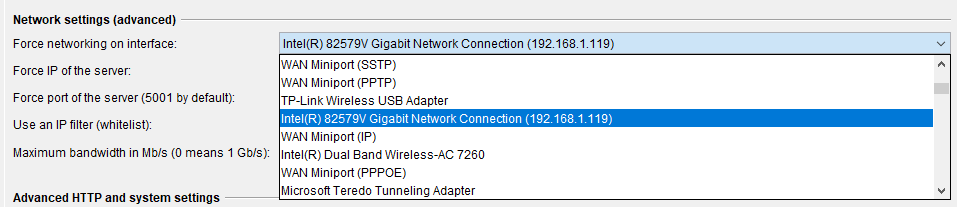
This usually happens when your computer has more than one active network connection (for example, one wired and one wireless). You can solve it by setting which network interface you want:
- Open UMS
- Select the
General Settingstab - Expand the
Force networking on interface:dropdown and select the interface you want. There might be a lot of options in the dropdown. The one you want will usually have an IP address in brackets after the name, for example: